
Manage skills once. Make them available everywhere.
Manage skills centrally and make them available to all staff instantly, across all their LLMs. NomNom is model agnostic—publish once for Claude, ChatGPT, Codex, internal assistants, and the models still to come.
One governed source. Every employee. Every LLM.
SKILLS
---
name: intercom-review
description: Review support conversations
---
# Intercom Review
Evaluate conversations against the approved quality rubric.
## Instructions
1. Read the referenced rubric.
2. Score each conversation.
One source of truth
A controlled catalog for every reusable AI skill.
Replace scattered prompts and duplicated Markdown with searchable, editable Skills that keep their origin and update history intact.
All Skills
Across personal and organization Projects
Copy a Skill into another Project and NomNom preserves its lineage—without creating a shared mutable record.
Repository connections
Bring the whole repository structure into view.
Connect multiple GitHub and Bitbucket repositories to one Project. Scan complete Markdown folder hierarchies, import several Skills at once, and retain the branch, path, revision, and base snapshot.
Controlled updates
See changes. Review them. Stay in control.
NomNom detects upstream changes without applying them. Compare the last accepted base, your current Draft, and the latest repository version before anything changes.
12## Review criteria
13- Check response tone
13+ Check tone against the rubric
14- Confirm next steps
Editing workspace
Markdown and Mermaid, side by side.
Work across a full file tree with a resizable editor and preview, formatting actions, validation results, and unsaved-change protection. Text, diagrams, and binary supporting files stay together inside the Skill.
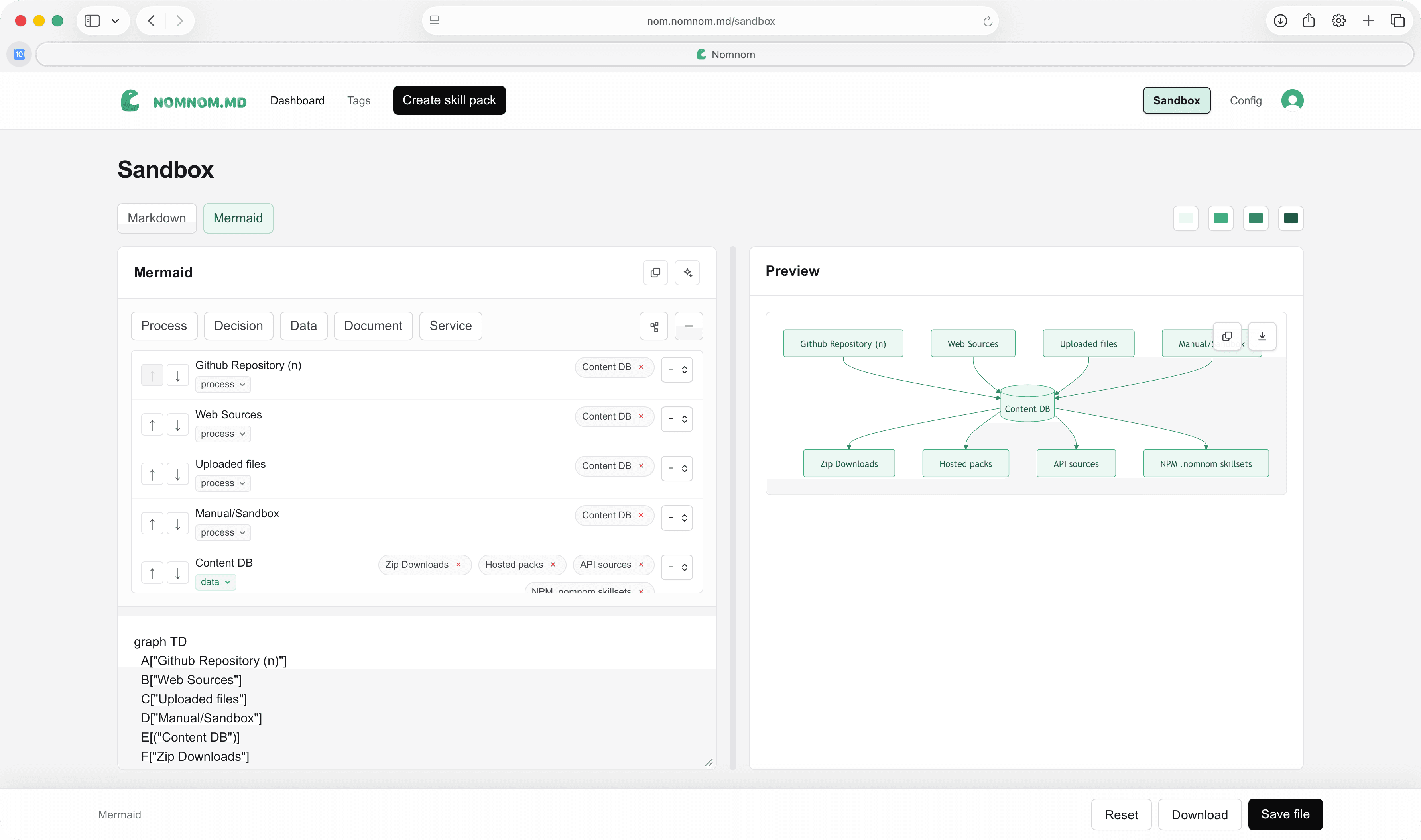
The standalone Sandbox remains available for free-form Markdown and Mermaid experimentation.
Immutable distribution
Turn an editable Draft into a release AI clients can trust.
Publishing validates every Skill, requires a complete change summary and semantic version, then captures the whole Project as a locked snapshot.
Customer operations
3 file changes · validation passed
v2.4.1
sha256:b890…4ea7
Every release includes
Model-agnostic distribution
One governed skill. Every employee. Every LLM.
NomNom makes centrally managed, immutable Skills available instantly through connectors and local installation. Employees can use the same approved Skill in Claude, Codex, ChatGPT, or an internal assistant—without copying prompts by hand.
“Use the NomNom connector to retrieve and apply the Intercom Review skill.”
- 1Search released Skill metadata
- 2Resolve the immutable Skill reference
- 3Retrieve SKILL.md verbatim
- 4Fetch referenced supporting files
- 5Apply instructions to the task
- 6Report version and checksum
Local installation
Bring complete Projects into development work.
Install released Skills beneath .nomnom/skills/, add a managed reference to AGENTS.md, and update safely without silently overwriting local changes.
$ npx nomnom.md login
$ npx nomnom.md install acme/customer-ops --agents
✓ Installed 14 skills from customer-ops@2.4.1
.nomnom/skills/acme/customer-ops/
Client Connectors
One MCP endpoint. Independent access for every LLM.
Create separate connectors for Claude, Codex, ChatGPT, and internal assistants. Each has its own OAuth credentials, redirects, usage state, rotation, and revocation.
Trust by design
Control at every boundary.
Draft edits never change an existing Release.
Repository changes are detected, never silently applied.
MCP tools never change content or execute released scripts.
Organization membership is invitation-only and identity-bound.
Every Client Connector can be rotated or revoked independently.
Operational metadata is recorded—not conversations or prompts.
Your central skills workspace
Give every AI client the right skill, at the right version.
Manage skills centrally, govern every release, and make approved instructions instantly available to all staff across every LLM.